Get started#
Use your own Pocpod identity for the portal and mobile app. Each colleague needs a separate account so jobs, proofs and changes can be attributed to the right person.
Create a new account#
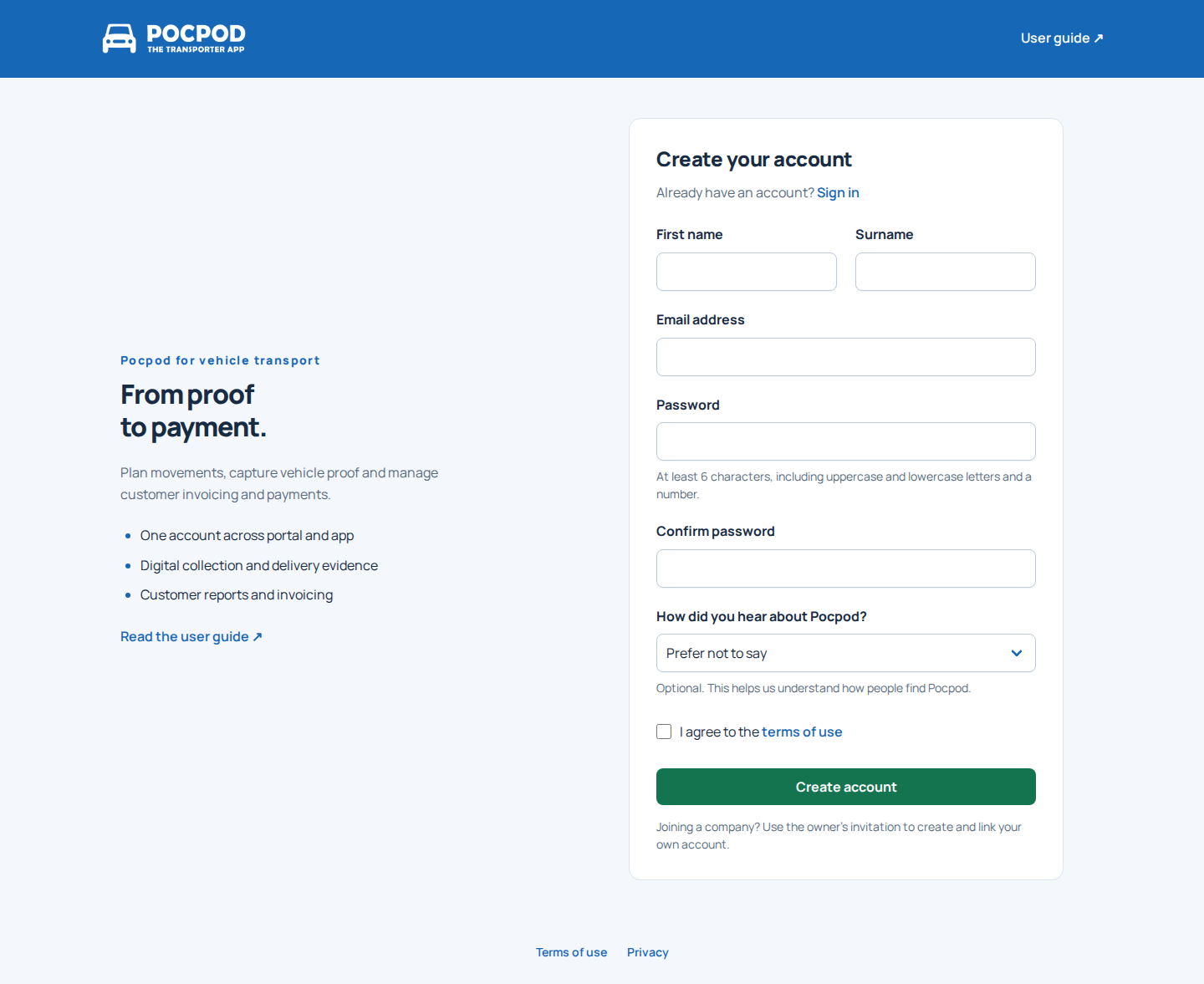
- Open the Pocpod portal registration page.
- Enter your first name, surname, email address and password.
- Confirm the password and, optionally, choose an answer to How did you hear about Pocpod? Leave Prefer not to say selected if you would rather skip this question.
- Accept the terms of use and select Create account.
If Pocpod detects that you arrived through a Google ad, it records that source automatically and does not show the discovery question.
New account owners enter guided setup. Setup is optional: you can skip it and return later from Home. Buying a subscription or enabling customer payments is not required to create an account.
If you are joining an existing business, start from the owner's invitation. You still create your own account; the invitation automatically links that new account to the parent's account. If you already have an account, use Account → Link to parent account in the app and enter the owner's 10-character share code.
Sign in to the portal#
Enter your email and password, then select Sign in. Pocpod opens the requested page where possible, otherwise Home. An existing owner's unfinished setup can be resumed from the Getting started card; ordinary sign-in does not force you back through setup.
On mobile the account form appears directly below the Pocpod header. The User guide link is in the footer.
To sign out, choose Log out in the sidebar. Your name opens My account rather than a menu containing the sign-out action.
Reset a forgotten password#
Choose I forgot my password on the sign-in page. Enter the address used for the account and submit the request. Follow the email link to choose a new password, then sign in again.
If no email arrives, check junk folders and confirm the address. Use the most recent reset email if you requested more than one.
Install and sign in to the app#
Install Pocpod from the Apple App Store or Google Play. Sign in with the same email and password used for the portal.
Allow camera and photo access when asked so you can capture proof. See Use the mobile app for collection, delivery and offline work.
Open your workspace#
Home gives you an overview of your work, release updates and account setup.